HMI Design Best Practices for Industrial Automation and Industry 4.0
20 August 2026
HMI design best practices for industrial automation directly impact operator effectiveness, process safety, and plant productivity — a well-designed industrial HMI enables operators to understand complex process states in seconds and respond to abnormal conditions accurately under time pressure, while a poorly designed one overwhelms with irrelevant information and increases the risk of operator error. Modern human machine interface design has evolved significantly from the cluttered, multi-colour mimics of legacy SCADA systems toward the high-performance HMI philosophy: neutral backgrounds, context-sensitive colour, and structured navigation that directs operator attention to what matters. For touchscreen HMI panel applications in manufacturing and process industries, HMI design best practices must also address touch target sizing, gloved-hand usability, vibration resistance, and industrial environmental ratings. This guide covers the operator interface design principles that engineering teams and system integrators should apply when specifying, building, and validating an industrial HMI for Industry 4.0 applications.
High-Performance HMI Design Principles
The ISA-101 standard and the ASM Consortium's HPHMI guidelines define the HMI design best practices that the most advanced process industries now apply. Key principles that every industrial HMI should implement:
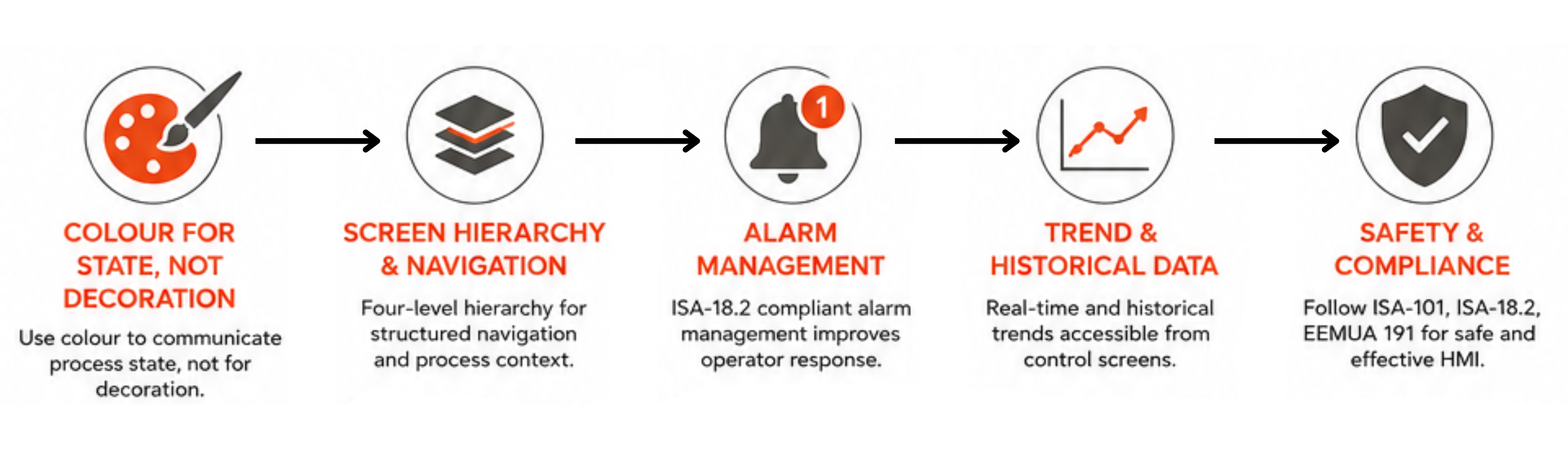
- Colour for State, Not Decoration: In high-performance human machine interface design, colour carries meaning. A neutral grey process mimic means all parameters are normal. A yellow element means a parameter is deviating or an alarm is active. Red means a critical alarm or shutdown condition. Operators immediately see the abnormal condition without scanning the entire screen — the fundamental goal of HMI design best practices for abnormal situation management.
- Screen Hierarchy and Navigation: Operator interface design should implement a four-level hierarchy: Level 1 is the plant overview (all major areas visible at once); Level 2 is area or unit displays; Level 3 is detailed equipment screens; Level 4 is diagnostic and maintenance screens. Operators navigate down to detail and back to overview without losing process context — the navigation standard in industrial HMI for 24/7 control room operations.
- Alarm Management: ISA-18.2 and EEMUA 191 compliance means alarm rationalisation (every alarm must have a defined operator response), alarm suppression during known abnormal states, shelving for out-of-service equipment, and priority classification. A touchscreen HMI panel alarm summary must clearly show the highest priority active alarm, time of occurrence, and the required operator action — not just a raw alarm count.
- Trend and Historical Data: Every industrial HMI should provide real-time trends for key process variables directly accessible from control screens. Operator interface design that requires multiple navigation steps to access a trend forces operators to lose process context — a critical flaw in HMI design best practices for abnormal situation response.
Touchscreen HMI Panel Design for Industrial Environments
| Design Factor | HMI Design Best Practice | Industrial HMI Specification |
|---|---|---|
| Touch Target Size | Minimum 15×15 mm for gloved-hand operation | Touchscreen HMI panel with PCAP or resistive touch; IP65 rated front |
| Text Legibility | Minimum 4 mm character height at operating viewing distance | Operator interface design minimum 12pt sans-serif font at 60 cm |
| Information Density | Maximum 6 significant data values in operator primary view | HMI design best practices: simplify to key KPIs; detail on demand |
| Colour Standards | ISA-101 or S88 colour standards; no arbitrary decoration colour | Human machine interface design: grey = normal, yellow = warning, red = alarm |
| Input Confirmation | Setpoint changes require confirmation dialog; range checking | Industrial HMI prevents single-touch accidental setpoint changes |
HMI Validation Testing for Industry 4.0
HMI design best practices require validation testing before deployment — confirming that the operator interface design meets functional, usability, and safety requirements. Human machine interface design validation for an industrial HMI typically includes: factory acceptance testing (FAT) of all screen navigation, alarm displays, and setpoint input sequences; usability testing with representative operators (testing comprehension speed and error rate on realistic process scenarios); alarm system testing confirming ISA-18.2 compliance; and touchscreen HMI panel environmental testing (vibration, temperature cycling, IP rating) appropriate for the installation environment. For automotive and instrument cluster applications, HMI design best practices also include functional testing of all display modes, backlight control, and communication interface validation.
Deploy Industrial HMI with Precisol Automation
Precisol Automation's HMI Human Machine Interface provides industrial-grade touchscreen HMI panel solutions designed for manufacturing and process automation. The 7-inch HMI offers a compact operator interface design for machine-mounted applications — with resistive touch for gloved-hand operation, wide temperature range, and CAN bus plus serial communication for integration with industrial automation systems.
See HMI design best practices applied to automotive instrument cluster development in our instrument cluster field testing case study, or explore how Precisol enables automotive diagnostics with CAN bus interface tools that support human machine interface design validation.
Frequently Asked Questions
What are the most important HMI design best practices for industrial automation?
The most critical HMI design best practices are: situational awareness first (process state visible in three seconds), high-performance colour philosophy (grey baseline; colour for alarm state only), ISA-18.2 alarm management compliance, consistent four-level navigation hierarchy, and input validation on touchscreen HMI panels. Human machine interface design following these principles reduces operator error and improves abnormal situation response in industrial HMI applications.
What is high-performance HMI design and why does it matter?
High-performance HMI (HPHMI) is an industrial HMI design philosophy using neutral backgrounds, context-sensitive colour (colour appears only for abnormal conditions), and structured hierarchy navigation. Human machine interface design following HPHMI principles reduces operator cognitive load, directs attention to deviations immediately, and lowers error rates in control room operations versus traditional colourful process mimics.
What display resolution and screen size should a touchscreen HMI panel use?
Machine-mounted touchscreen HMI panels typically use 7–10 inch displays with 1024×600 to 1280×800 resolution. Process control operator interface design uses 15–24 inch full HD panels. Industrial HMI specifications require IP65 front rating, wide temperature range, and PCAP or resistive touch technology for gloved-hand and contamination resistance in industrial environments.